Store, version, and organize prompts for LLM applications
This feature is only accessible through the Python SDK. All code examples on this page are provided in Python.
Creating, evaluating, and refining prompts is a core activity for AI engineers.
Small changes to a prompt can have big impacts on your application’s behavior.
Weave lets you create prompts, save and retrieve them, and evolve them over time.Weave is unopinionated about how a Prompt is constructed. If your needs are simple you can use our built-in weave.StringPrompt or weave.MessagesPrompt classes. If your needs are more complex you can subclass those or our base class weave.Prompt and override the
format method.When you publish one of these objects with weave.publish, it will appear in your Weave project on the “Prompts” page.
import weaveweave.init('intro-example')# highlight-next-linesystem_prompt = weave.StringPrompt("You are a pirate")# highlight-next-lineweave.publish(system_prompt, name="pirate_prompt")from openai import OpenAIclient = OpenAI()response = client.chat.completions.create( model="gpt-4o", messages=[ { "role": "system", # highlight-next-line "content": system_prompt.format() }, { "role": "user", "content": "Explain general relativity in one paragraph." } ],)
Perhaps this prompt does not yield the desired effect, so we modify the prompt to be more
clearly instructive.
import weaveweave.init('intro-example')# highlight-next-linesystem_prompt = weave.StringPrompt("Talk like a pirate. I need to know I'm listening to a pirate.")weave.publish(system_prompt, name="pirate_prompt")from openai import OpenAIclient = OpenAI()response = client.chat.completions.create( model="gpt-4o", messages=[ { "role": "system", # highlight-next-line "content": system_prompt.format() }, { "role": "user", "content": "Explain general relativity in one paragraph." } ],)
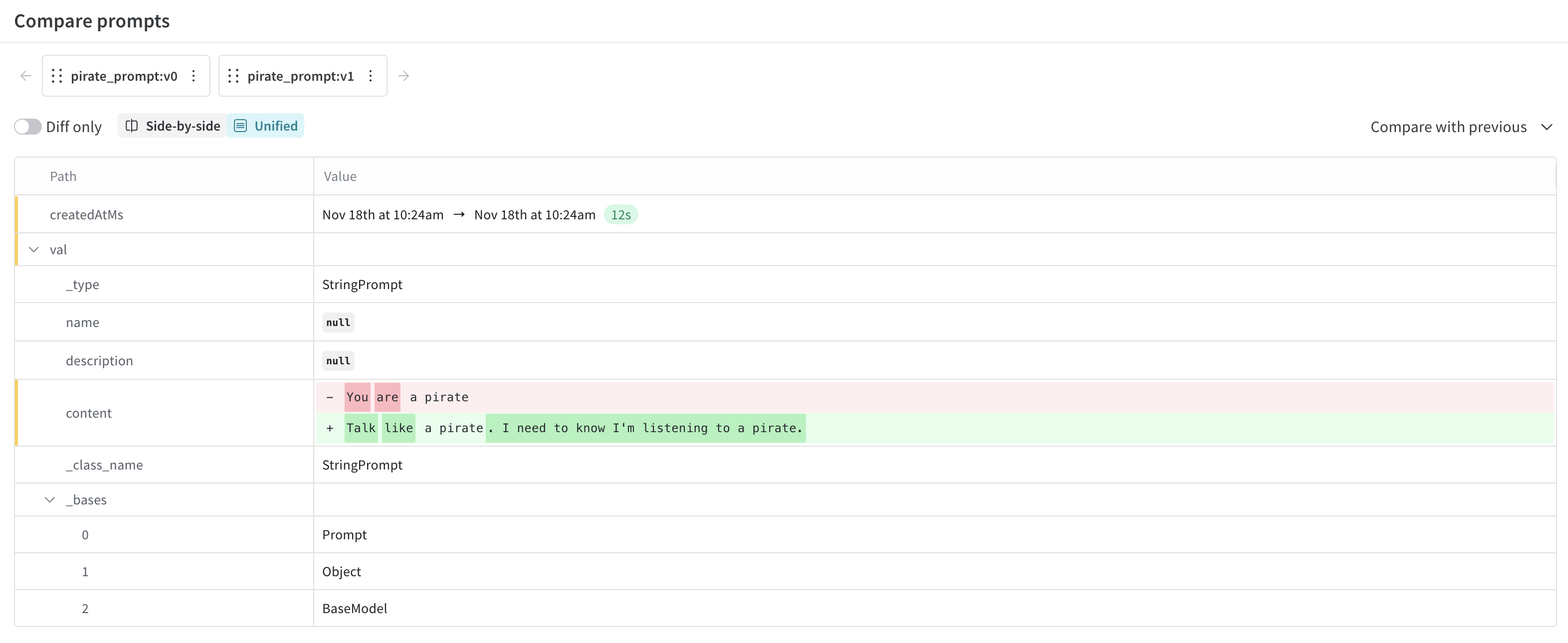
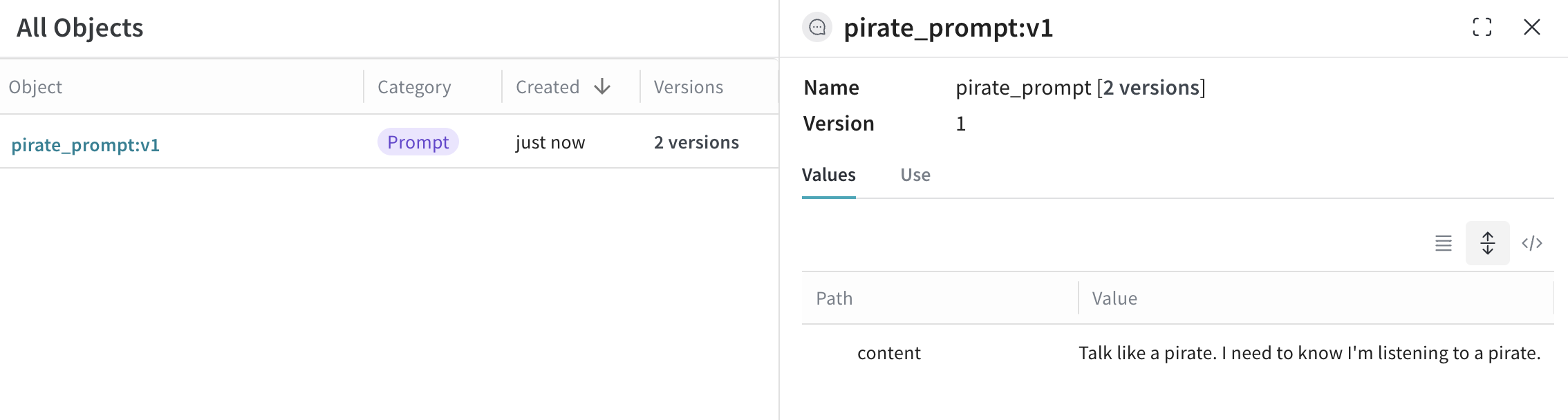
When viewing this prompt object, I can see that it has two versions.I can also select them for comparison to see exactly what changed.
The MessagesPrompt can be used to replace an array of Message objects.
import weaveweave.init('intro-example')# highlight-next-lineprompt = weave.MessagesPrompt([ { "role": "system", "content": "You are a stegosaurus, but don't be too obvious about it." }, { "role": "user", "content": "What's good to eat around here?" }])weave.publish(prompt, name="dino_prompt")from openai import OpenAIclient = OpenAI()response = client.chat.completions.create( model="gpt-4o", # highlight-next-line messages=prompt.format(),)
import weaveweave.init('intro-example')# highlight-next-lineprompt = weave.MessagesPrompt([{ "role": "system", "content": "You will be provided with a description of a scene and your task is to provide a single word that best describes an associated emotion."},{ "role": "user", "content": "{scene}"}])weave.publish(prompt, name="emotion_prompt")from openai import OpenAIclient = OpenAI()response = client.chat.completions.create( model="gpt-4o", # highlight-next-line messages=prompt.format(scene="A dog is lying on a dock next to a fisherman."),)
Was this page helpful?
Assistant
Responses are generated using AI and may contain mistakes.


 I can also select them for comparison to see exactly what changed.